
Not all ERP systems are designed for manufacturing. When choosing ERP software, it is important to look for features that support your production processes.
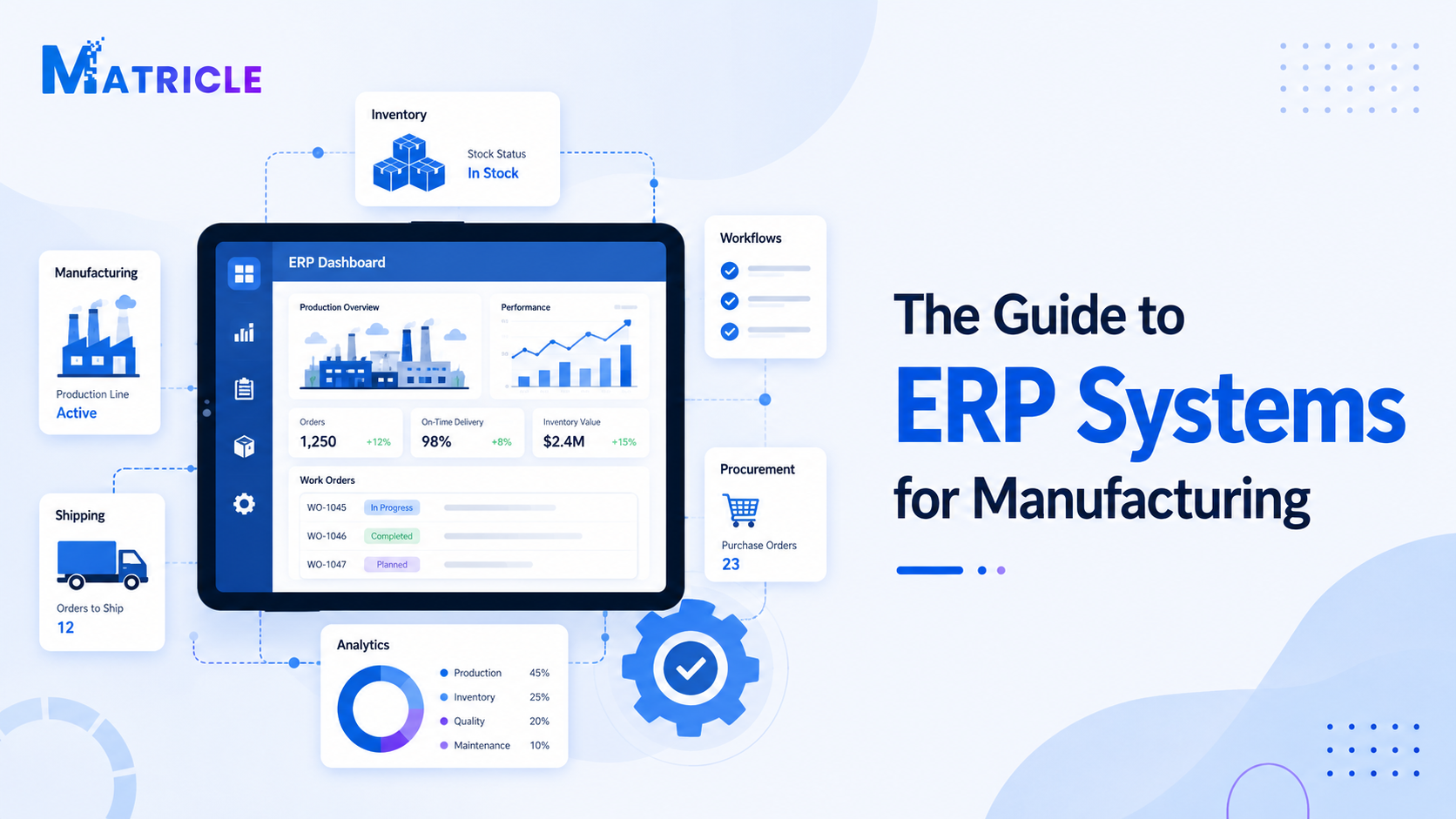
ERP, or Enterprise Resource Planning software, helps manufacturers connect production, inventory, purchasing, sales, reporting and business operations in one system. For growing manufacturing businesses, this can reduce manual work, improve visibility and create more predictable production workflows.
Important ERP Features for Manufacturing
Manufacturing businesses usually need more than basic accounting or inventory software. A good manufacturing ERP system should support the full production process, from customer demand and material planning to job tracking and reporting.
Production Order Management
Production order management allows businesses to plan, create and track manufacturing jobs. It helps teams understand what needs to be produced, what materials are required and when production should be completed.
Bill of Materials
BOM functionality allows businesses to define the materials, components and quantities needed to make each product.
Inventory Management
Strong inventory management helps track raw materials, work-in-progress and finished goods. This supports production planning, purchasing and order fulfilment.
Purchasing Management
Purchasing tools help businesses manage suppliers, purchase orders, receiving and material replenishment.
Other Useful ERP Features
- Sales order management
- Warehouse management
- Job Calendar
- Reporting and dashboards
- Quality control
- Scalability for future business growth
Cloud ERP vs On-Premise ERP for Manufacturing
Manufacturers can choose between cloud-based ERP systems and on-premise ERP systems. The right option depends on your budget, internal IT resources, customisation needs and long-term business goals.
| ERP Type | Description | Best For |
|---|---|---|
| Cloud ERP | Hosted online and accessed through a web browser. It usually requires less internal IT infrastructure and can be easier to update and scale. | Small and medium-sized manufacturers that want flexibility and lower upfront costs. |
| On-Premise ERP | Installed on company servers. It may offer more control over infrastructure and customisation, but often requires more IT resources and maintenance. | Businesses that need more control over infrastructure or highly specific system requirements. |
For many modern manufacturers, cloud ERP has become an attractive option because it supports remote access, faster implementation and easier system updates.
How ERP Helps Optimize Production
ERP software helps optimize production by connecting planning, materials, inventory and reporting.
For example, when a customer order is created, the ERP system can check finished goods inventory. If the product is not available, the system can help create a production order. It can then calculate the required materials from the BOM, check stock availability and notify purchasing if materials are missing.
A typical ERP production workflow:
- Customer order is created.
- The ERP system checks finished goods inventory.
- If stock is unavailable, created a production order.
- The BOM calculates required materials.
- The system checks stock availability.
- created a Purchasing order if materials are missing.
- Production progress, costs and stock levels are tracked.
This connected workflow helps reduce delays, improve communication and create a more predictable production process.
Signs Your Manufacturing Business Needs an ERP System
Your manufacturing business may need ERP software if:
- You rely heavily on spreadsheets
- Inventory records are often inaccurate
- Production delays are common
- Teams use disconnected systems
- It is difficult to track job costs
- Purchasing is reactive instead of planned
- Reporting takes too long
- Managers lack real-time visibility
- Customer orders are delayed due to stock or production issues
- The business is growing and current processes are harder to manage
If these problems are becoming frequent, an ERP system can help create structure and improve operational control.
How to Choose the Right ERP System for Manufacturing
Choosing the right ERP system is an important decision. The best solution depends on your business size, production type, budget and operational requirements.
What type of manufacturing do you do?
Different manufacturers have different needs. A food manufacturer may need batch tracking and expiry date control. An equipment manufacturer may need complex BOMs and job costing. A make-to-order business may need flexible production scheduling.
What problems are you trying to solve?
It is important to identify your main pain points before choosing software. Are you trying to improve inventory accuracy, reduce production delays, track costs more clearly or improve reporting?
How easy is the system to use?
ERP software should support your team, not slow them down. A system that is too complex may create resistance and reduce adoption.
Can the system grow with your business?
Your ERP system should be able to support future growth, including more users, more products, more warehouses and more advanced workflows.
What support is available?
Implementation and ongoing support are critical. Manufacturers should consider whether the ERP provider offers training, local support, implementation guidance and system customisation where needed.
Common ERP Implementation Challenges
ERP implementation can deliver major benefits, but it also requires planning.
- Poor data quality
- Lack of staff training
- Unclear business processes
- Resistance to change
- Over-customisation
- Weak project management
- Choosing software that does not fit the business
To reduce risk, manufacturers should prepare carefully before implementation. This includes Organize data, documenting workflows, training users and setting clear project goals.
Best Practices for ERP Implementation in Manufacturing
To get the best results from an ERP project, manufacturers should follow a structured approach.
- Define your goals and how success will be measured.
- Review your current processes and identify bottlenecks.
- Organize your product, supplier, customer, inventory and BOM data.
- Involve key users from production, warehouse, purchasing, sales and finance.
- Provide proper training so users understand both the system and the process.
- Improve over time after the system goes live.
Conclusion
ERP systems play an important role in helping manufacturing businesses optimize production, improve visibility and reduce operational inefficiencies.
By connecting production planning, inventory, purchasing, sales and reporting in one platform, ERP software gives manufacturers better control over their operations. It helps reduce manual work, improve stock accuracy, support better decision-making and create more reliable production workflows.
For manufacturers that are growing or struggling with disconnected processes, implementing the right ERP system can be a powerful step toward long-term efficiency and scalability.
Choosing the right ERP software requires careful planning, but the benefits can be significant. With the right system and the right implementation approach, manufacturers can build a more connected, efficient and competitive operation.
Need Help Choosing a Manufacturing ERP System?
If your business is struggling with disconnected systems, inaccurate inventory or production delays, the right ERP solution can help you build a more efficient workflow.